
Web 2.0 has many tools that can enhance the way teachers and students can learn. These tools can be used in presentations and many different ways. All of these tools can be used in the classroom to help students learn. These tools can be used for educational purposes.
Prezi is a website students and teachers can use to create a presentation. This website allows users to map out their presentation just like a PowerPoint does. In order to use this website, you do have to create an account. Prezi offers many different types of templates for your presentation. You can even set your presentation up in a certain order. This website is great for teachers to teach a lesson to their students. It can help explain and show a lesson to the students.

Tagul is another website tool that allows users to create fun word art. The way it works is, when you import the words, of your choosing, you then are able to customize the word cloud. You can change the color, change the shape, and even animate it. This tool allows teachers to put vocabulary words in a fun word cloud. Teachers can also put key words in a word cloud to show students what they are about to learn. All of the word clouds created can be printed or upload on to a presentation.


Dropbox is a tool that allows you to upload files. Teachers can use this tool to allow students to upload projects and essays. This can be more convenient for students to use. Instead of having students having to print multiple pages of paper, teachers can allow the to upload their work in dropbox. Students can upload anything in Microsoft Office. Dropbox is extremely safe and easy for students to use.


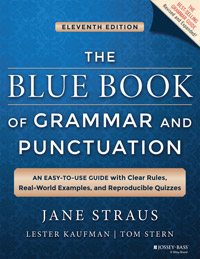
Grammar Book is a website that students can use to help improve grammar skills. The websit has many different grammar rules for students to go over. Teacher's can give students the link to the website so students can check there papers before turning it in for a grade. After students look up different grammar rules they can even be quized over what they learned.
Plagium can be used to check for plagiarism in your work. Teachers can have students upload their work to this site. The website gives you two options, a deep search for plagiarism and a quick search. Students can use this to make sure they have not used anyone else's work. Plagium is quick and easy to use.

Teacher Tube can be used to look up educational videos. Teachers can use this website to find videos for their classes and lessons. Looking up the video is simple. It works just like YouTube. All you do it search for the topic you are looking for and all kinds of educational videos will be listed.

Blubbl is a great website to create online maps. It is a presentation tool used to enhance students learning. The way blubbl works is the user has the access to create a web-like map. The main topic will be located in the middle bubble. The supporting ideas will go off the main bubble, creating this web. Inside each bubble, you can upload information for students to access.


Weebly allows you to create a website. Teachers can use this to give students information they need to know for classes. Weebly allows you to build your website from many different templates. Once you publish your website, you will be able to track how many people and how popular it has become. The website you create will also work on both PC and on a cellular phone.
